The tren.ch page is a trading hub and overview within the trench platform allowing you to quickly browse attention assets. It can be broken down into four sections: Migrated:
This is where you can view coins that have successfully filled their bonding curve.
Bonding:
This where you can view coins that are attracting hype right now and about to progress into the migrating stage.
New:
This is where you can see new pairs as they’re being made.

You can cycle between feeds with the migrated, bonding and new pairs tabs at the top of the panel.
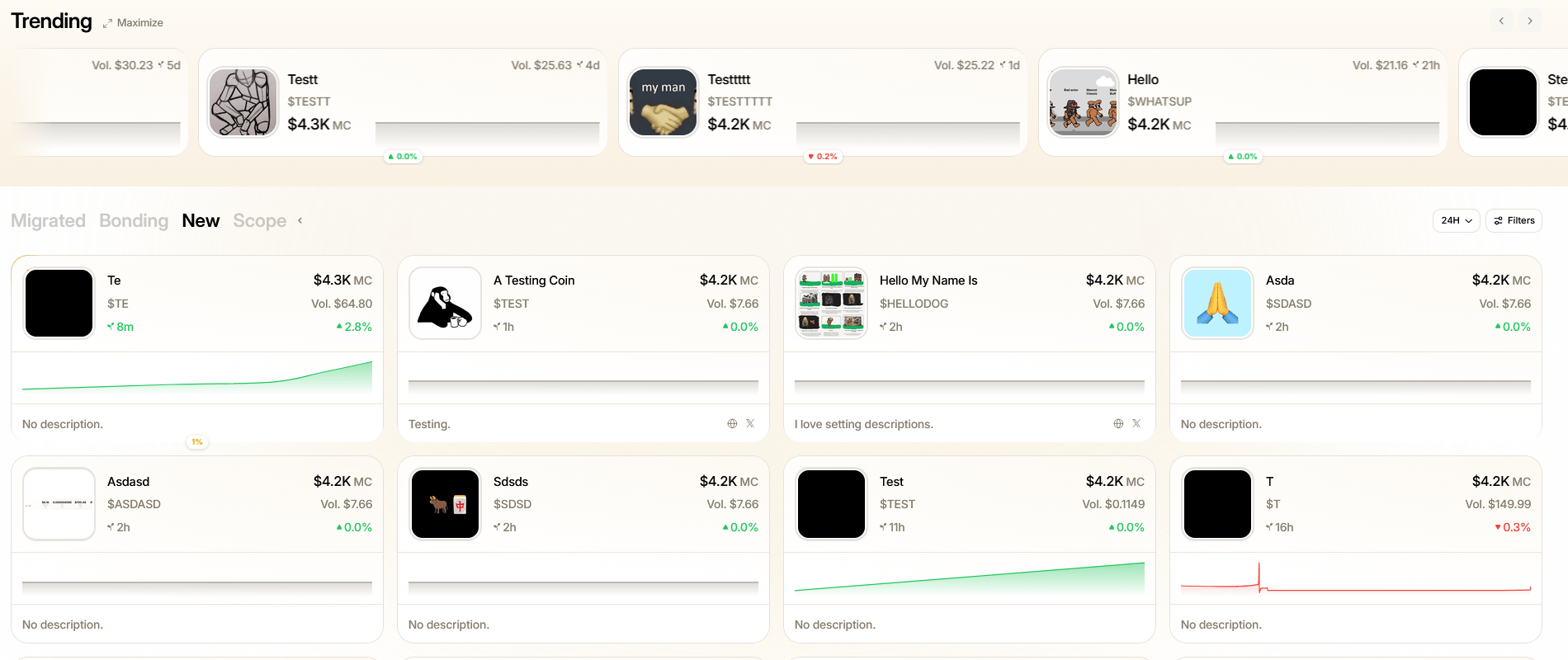
Trench page overview

New pairs

Scope:
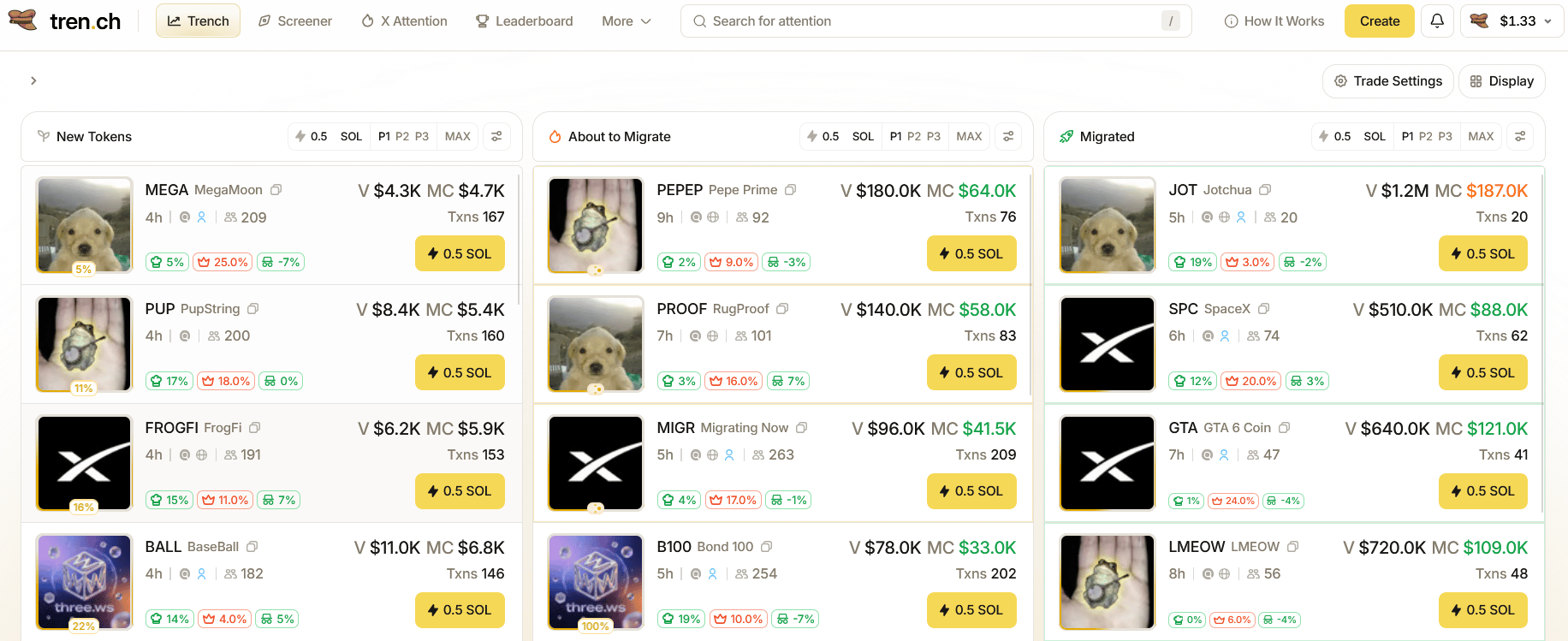
The most efficient and professional way to trade giving you an all in one overview of migrated, bonding and new pairs, rather than browsing through individual feeds.
Screenshot 2026 08 11 190913

Scope

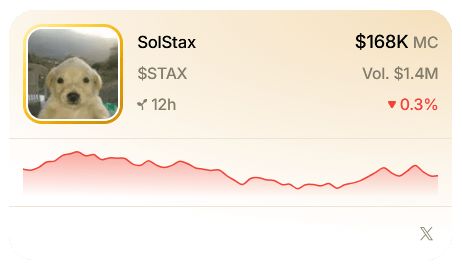
At the top of the page you can see a feed of trending coins, click maximize to see an expanded view for more details. Click into any token to be taken to its coin page. Individual token cards contain useful stats such as the coins image, time of launch, market cap, volume, links attached and more.
Trench page token card

tren.ch coin card

As token cards progress towards migration there are are a number of visual indicators which directly change with the coin’s progress. Their gradient will change color and become more prominent; less valuable tokens barely have any gradient; but as they get closer to migration the card gradient fills as well as the icon border around the coins profile picture. When a coin fully migrates an animation plays to draw your attention to what’s currently trending.