
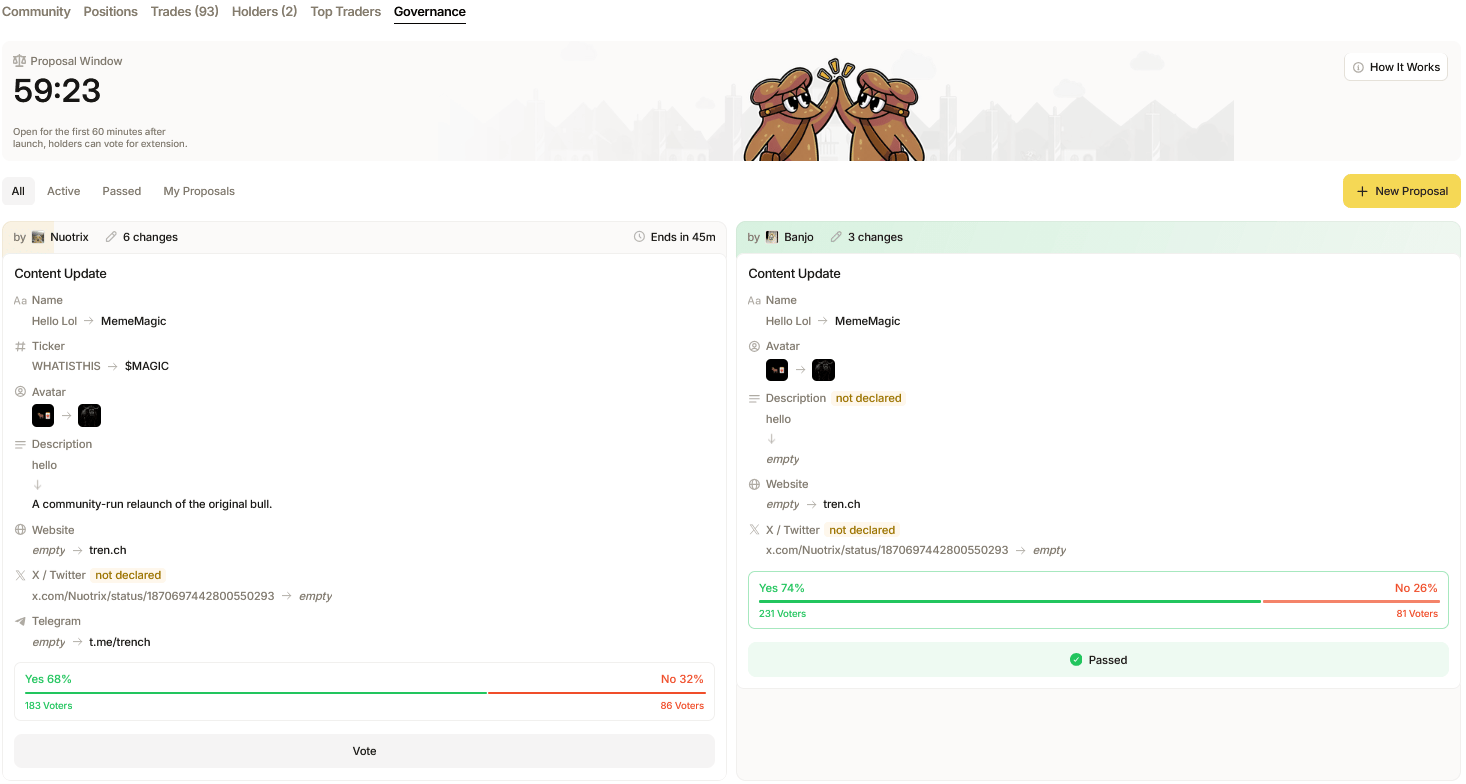
For the first 60 minutes from a coin’s creation it is entirely mutable. This means any thing about the coins metadata can be changed or edited from its original data. This however must be done via a proposal system; only coin creators and holders with over 1% of token supply can submit proposals.
Governance new proposal

Submit Proposals:

To create a proposal, simply hit ‘New Proposal’ and select which type of proposal you wish to submit. You can submit changes to a coin’s content such as name, image, description, ticker and any links attached. Additionally, you can extend voting deadlines and approve finalization via proposals. Each field can only be updated once. A successful Finalization Proposal permanently disables future content updates.
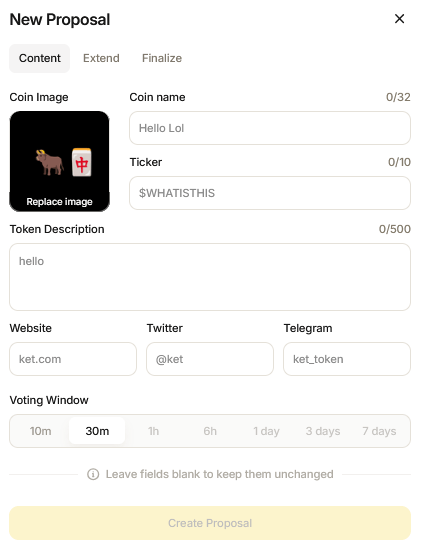
Governance proposal fields

Voting:

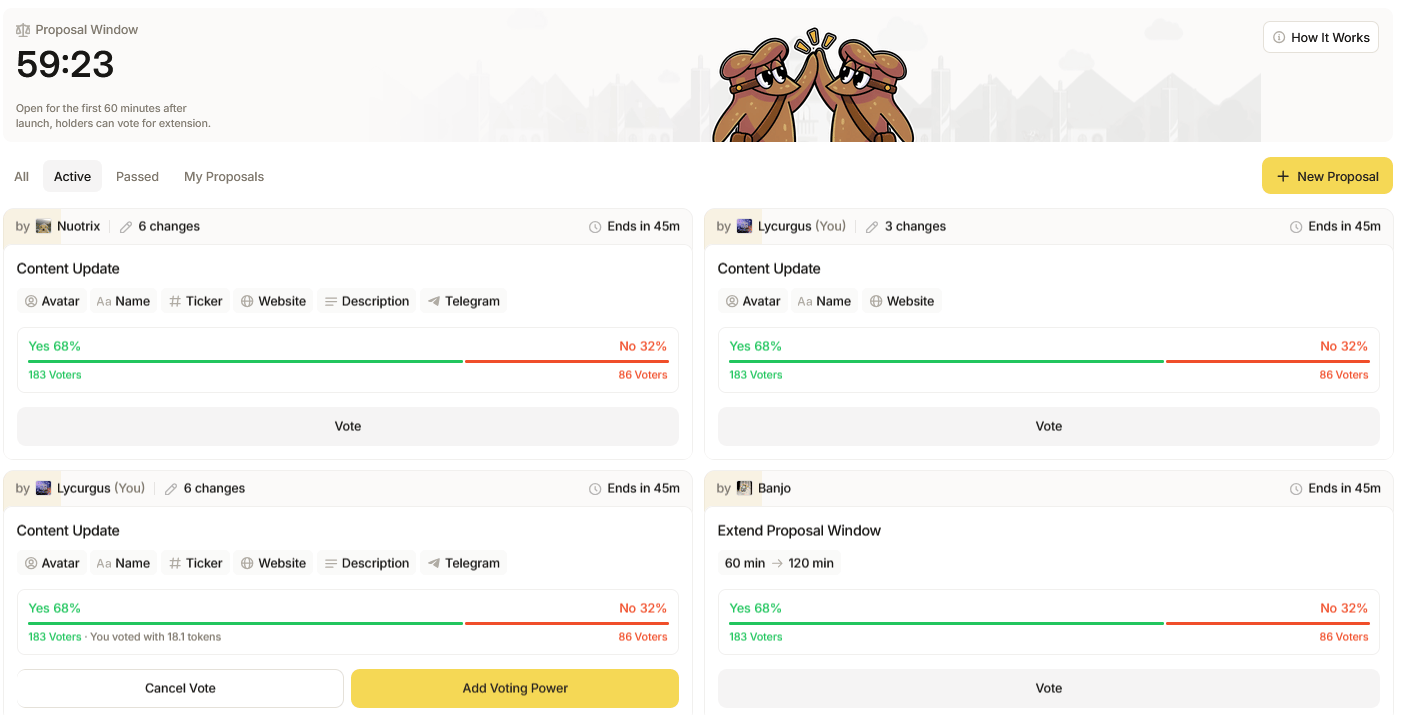
You can view all proposals past and active via the overview at the bottom of the page. To cast votes on a proposal, find which proposal you wish to vote on and click ‘Vote’.
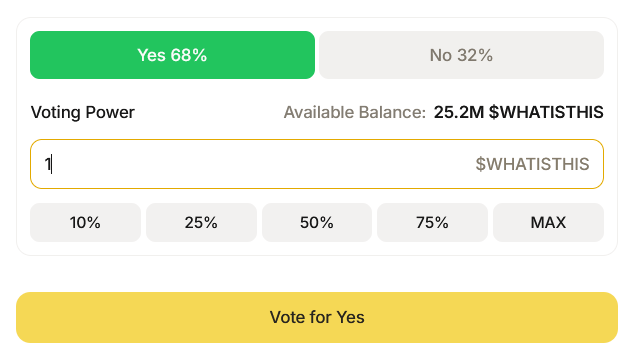
Voting
This will bring you to a Voting pop-up in which you can review the details of the proposed change; navigate to the bottom of the panel to cast your vote for ‘Yes’ or ‘No’, and then allocate the amount of tokens you wish to attach with your vote. Voting requires you to lock your tokens for a specific period of time to cast your vote, after the voting window ends tokens auto-unlock and can be claimed from the proposal overview. Active proposals need at least 66% approval and over 25 votes to pass.
Governance proposal list
If you wish to increase the weight of your vote, simply return to the Active Proposals overview and click ‘Add Voting Power’ to contribute more tokens and gain position for your desired proposals. Additionally, you may cancel your vote at any time by clicking ‘Cancel Vote’. Please note that you must be a holder of a token before voting in Governance Proposals.