> ## Documentation Index
> Fetch the complete documentation index at: https://docs.tren.ch/llms.txt
> Use this file to discover all available pages before exploring further.
# Notifications
> Track wallet and social alerts from trench.
You will receive **notifications** from time to time when using tren.ch. To track them click the **Bell** icon next to your Account dropdown.
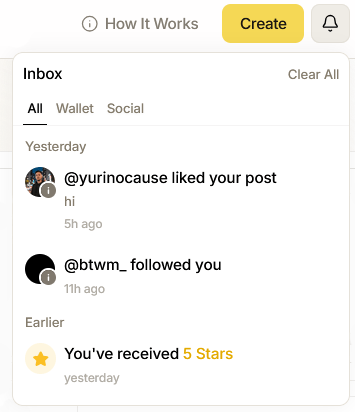 Here you can sort notifications by **All** to view an entire overview, or filter them by **Wallet Notifications** for alerts pertaining to coins you've deployed, active positions or tokens you're actively watching, or filter them by social notifications to track your social interactions via trench. Sound notifications can be muted by clicking the **Sound** icon on the [Footer](/footer).