> ## Documentation Index
> Fetch the complete documentation index at: https://docs.tren.ch/llms.txt
> Use this file to discover all available pages before exploring further.
# Governance
> Proposals and voting for a coin's mutable metadata.
For the first 60 minutes from a coin's creation **it is entirely mutable**. This means any thing about the coins metadata can be changed or edited from its original data. This however must be done via a proposal system; only coin creators and holders with over 1% of token supply can submit proposals.
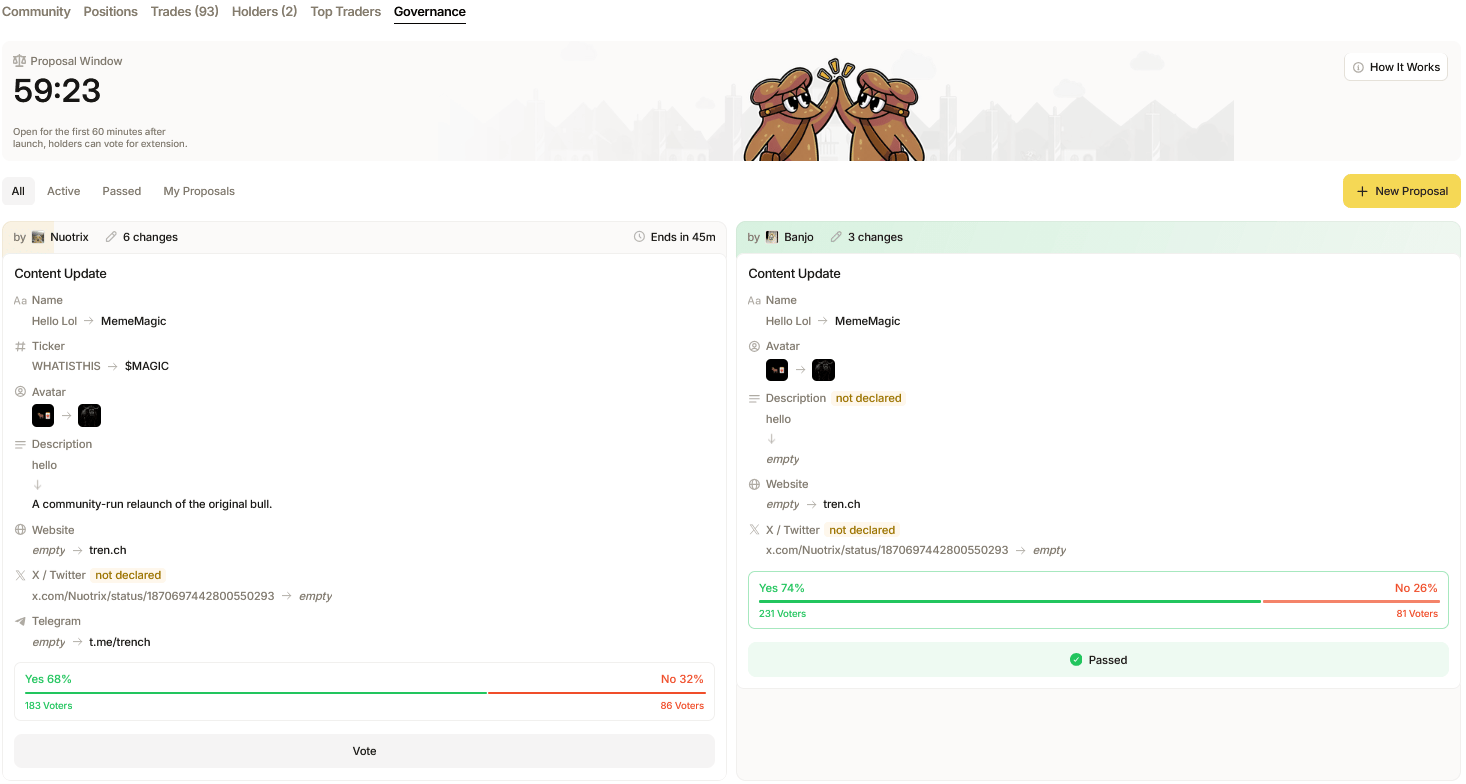 ### Submit Proposals:
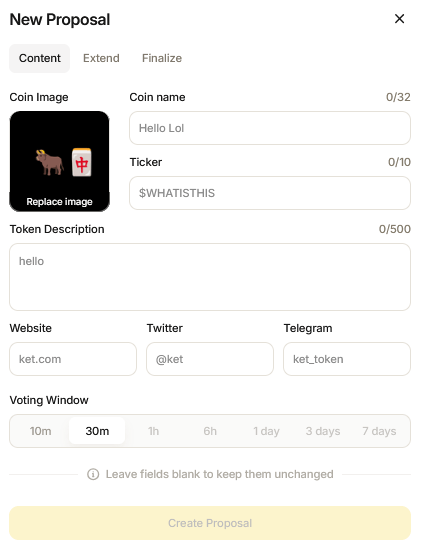
To create a proposal, simply hit '**New Proposal'** and select which type of proposal you wish to submit. You can submit changes to a coin's content such as name, image, description, ticker and any links attached. Additionally, you can extend voting deadlines and approve finalization via proposals. Each field can only be updated once. A successful **Finalization Proposal** permanently disables future content updates.
### Submit Proposals:
To create a proposal, simply hit '**New Proposal'** and select which type of proposal you wish to submit. You can submit changes to a coin's content such as name, image, description, ticker and any links attached. Additionally, you can extend voting deadlines and approve finalization via proposals. Each field can only be updated once. A successful **Finalization Proposal** permanently disables future content updates.
 ### Voting:
You can view all proposals past and active via the overview at the bottom of the page. To cast votes on a proposal, find which proposal you wish to vote on and click '**Vote**'.
### Voting:
You can view all proposals past and active via the overview at the bottom of the page. To cast votes on a proposal, find which proposal you wish to vote on and click '**Vote**'.
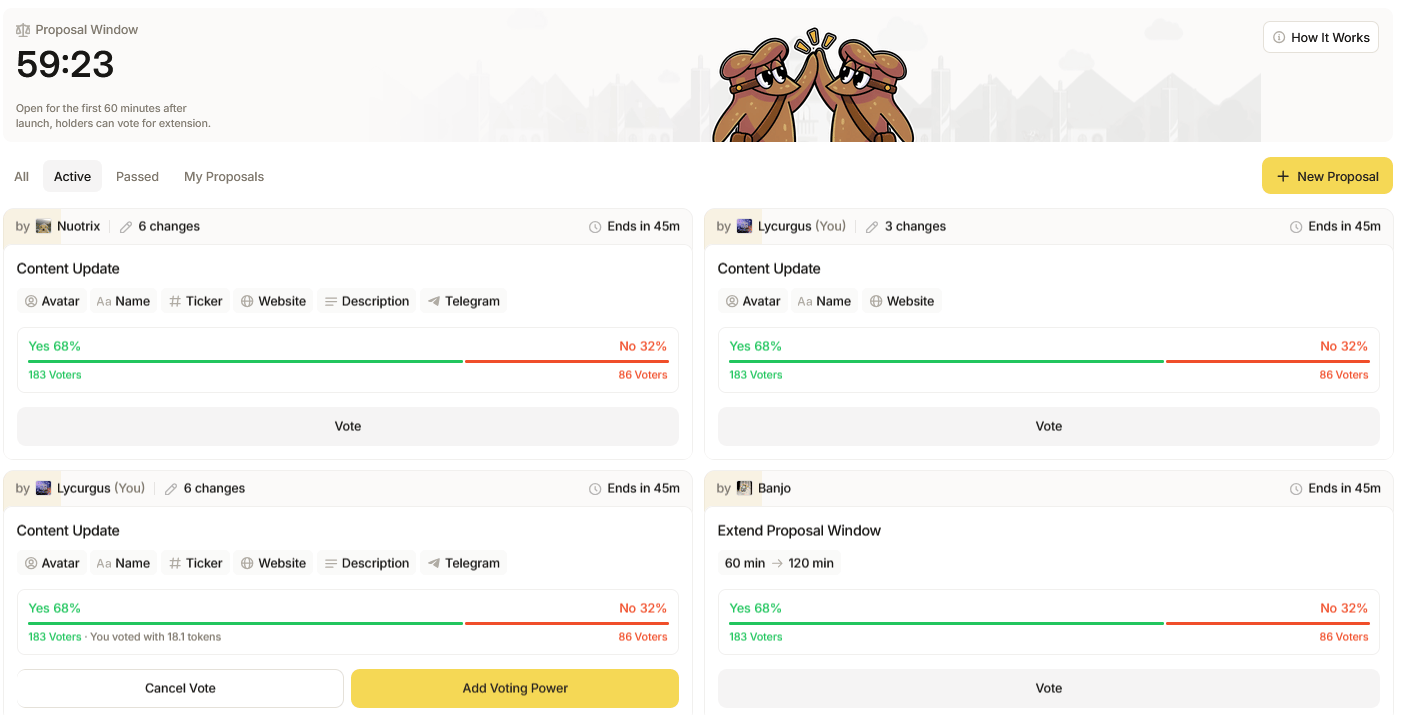 This will bring you to a **Voting** pop-up in which you can review the details of the proposed change; navigate to the bottom of the panel to cast your vote for '**Yes**' or '**No**', and then allocate the amount of tokens you wish to attach with your vote. Voting requires you to lock your tokens for a specific period of time to cast your vote, after the voting window ends tokens auto-unlock and can be claimed from the proposal overview.
**Active proposals need at least 66% approval and over 25 votes to pass.**
This will bring you to a **Voting** pop-up in which you can review the details of the proposed change; navigate to the bottom of the panel to cast your vote for '**Yes**' or '**No**', and then allocate the amount of tokens you wish to attach with your vote. Voting requires you to lock your tokens for a specific period of time to cast your vote, after the voting window ends tokens auto-unlock and can be claimed from the proposal overview.
**Active proposals need at least 66% approval and over 25 votes to pass.**
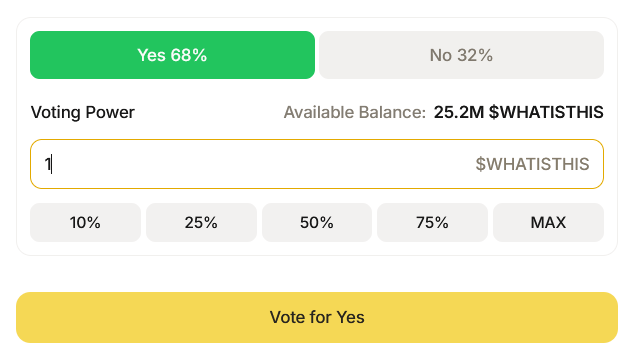 If you wish to increase the weight of your vote, simply return to the Active Proposals overview and click '**Add Voting Power**' to contribute more tokens and gain position for your desired proposals. Additionally, you may cancel your vote at any time by clicking '**Cancel Vote**'. Please note that you must be a holder of a token before voting in **Governance Proposals**.