> ## Documentation Index
> Fetch the complete documentation index at: https://docs.tren.ch/llms.txt
> Use this file to discover all available pages before exploring further.
# Creating a Coin
> Launch a token from anywhere on trench.
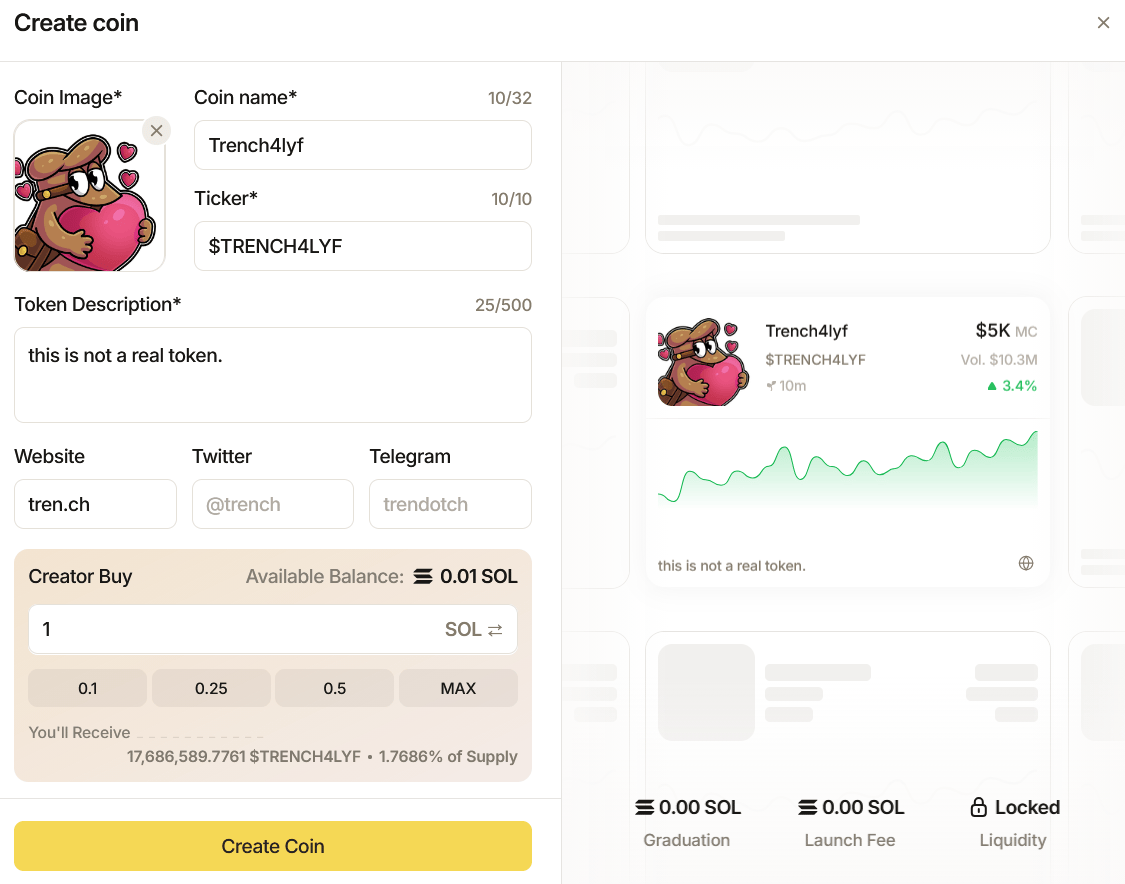
Creating a coin with tren.ch is extremely simple. Rather than being a dedicated coin creation page, you can click the **Create** button from any page you're currently on.
 This brings up a clean popup panel where you can fill in your coins details quickly, simply fill the fields as prompted giving your coin a name, image, ticker, description and attaching any social links/posts you desire. Once you've completed filling in your coin's details, enter the **Creator Buy** amount in SOL and preview your amount of supply, once ready click '**Create Coin**' to launch a token via tren.ch. Once launched, you can click 'Open Token Page' to be taken to the [Coin Page.](/coin-page)
An important thing that sets tren.ch apart from any major launchpad; **Every ticker can only be used and deployed up to 3 times every 24 hours**, limiting the amount of Vamps and PVP opportunities and making it easier for users to define a clear runner.
This brings up a clean popup panel where you can fill in your coins details quickly, simply fill the fields as prompted giving your coin a name, image, ticker, description and attaching any social links/posts you desire. Once you've completed filling in your coin's details, enter the **Creator Buy** amount in SOL and preview your amount of supply, once ready click '**Create Coin**' to launch a token via tren.ch. Once launched, you can click 'Open Token Page' to be taken to the [Coin Page.](/coin-page)
An important thing that sets tren.ch apart from any major launchpad; **Every ticker can only be used and deployed up to 3 times every 24 hours**, limiting the amount of Vamps and PVP opportunities and making it easier for users to define a clear runner.
 ### Bonding Curve:
The **Bonding Curve** on [tren.ch](http://tren.ch) works on a unique protocol. To offer the stability of USDC's pricing, but reduce PVP opportunities by offering both USDC and Solana, the tren.ch team has combined the best of both worlds.
### Bonding Curve:
The **Bonding Curve** on [tren.ch](http://tren.ch) works on a unique protocol. To offer the stability of USDC's pricing, but reduce PVP opportunities by offering both USDC and Solana, the tren.ch team has combined the best of both worlds.
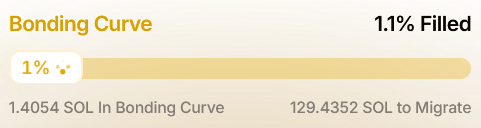 **Bonding Curves** live on Solana, however, with each token deployed a snapshot is taken of Solana's price at that moment; Whatever \$10,000 **USDC** is in **Solana** price at the exact time of deployment is the **migration requirement** for that coin to bond.
For Solana Pairs the **Bonding Curve** metrics are as follows:
*Starting Market Cap:* \$4k
*Migration Market Cap:* \$40k
*Bonding Requirement:* \$10k
You can track the process of any coin's **Bonding Curve** from their [Coin Page](/coin-page). Additionally, you can find tokens as they approach **Bonding** via the [tren.ch page.](/trench-page)
### Fees:
[tren.ch](http://tren.ch) incorporates a dynamic fee structure for creators, traders and the protocol. As a coin progresses past migration and increases in market cap fees are dynamically adjusted to reward creators.
The fee structure can be broken down into two sections:
**Pre-Bond Coin Fees:**
*Protocol Fees:* 0.4%
*Creator Fees:* 0.4%
*User Cashback:* 0.2%
**Total Fee: 1%**
**Migrated Coin Fees:**
| M. Cap | Creator | Protocol | LP | Total |
| ------ | ------- | -------- | ----- | ----- |
| \$40K | 0.4% | 0.25% | 0.35% | 1% |
| \$100K | 0.5% | 0.15% | 0.35% | 1% |
| \$200K | 0.55% | 0.1% | 0.35% | 1% |
| \$300K | 0.6% | 0.05% | 0.35% | 1% |