> ## Documentation Index
> Fetch the complete documentation index at: https://docs.tren.ch/llms.txt
> Use this file to discover all available pages before exploring further.
# Build with tren.ch
> Let your users connect their trench account to your app; trade, vote, and propose without ever leaving your product.
Builders are encouraged to use the available tren.ch **API**. To set up the **API**, simply visit the tren.ch **API** page by using the '**More**' drop down in the page header and clicking '**Build with tren.ch**'.
Fill in the details to register your app; you must provide a name and redirect URLs. Define which **Scopes** you wish to apply to your app and then click '**Create**'.
**Available Scopes:**
**Read Profile** `[profile:read]`
View your trench profile (wallet address, handle, avatar).
**Execute Trades** `[trade:execute]`
Buy and sell tokens using your connected trench wallet.
*High risk.*
**Launch Tokens** `[coin:create]`
Launch new tokens from your connected trench wallet, including an optional first buy.
*High risk.*
**Vote in Governance** `[governance:vote]`
Vote on proposals and withdraw your locked vote tokens.
*High risk.*
**Create Proposals** `[governance:propose]`
Create governance proposals, which locks a bond from your wallet.
*High risk.*
Once completed, you will receive a client ID and key to use when connecting your app server. **Copy your key now and do not expose this.** It will not be displayed again.
Once an app-end user connects, they will be asked to approve the scopes you applied in a trench popup window. Your server swaps the code for a token scoped to that user; once connected users can call on the **API** to trade, vote and propose on their behalf.
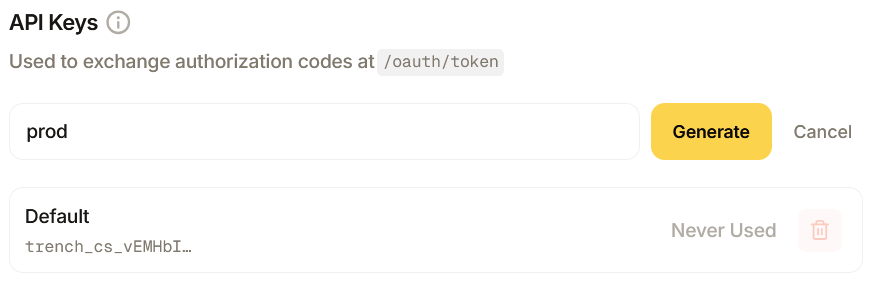
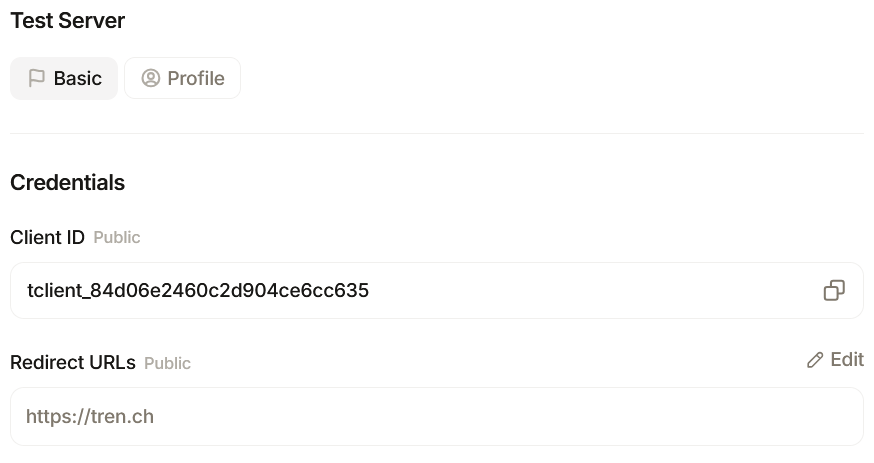 You can create new **API keys** by navigating to the **API keys** section of the overview panel and clicking '**New Key**'. You can also delete keys when needed within the same panel by clicking the **Trash** icon next to any key.
 You can see an overview of API usage and limits by navigating to the bottom of the page. If you need custom limits to support your app, please get in contact with our team [via the tren.ch discord.](https://discord.com/invite/trench)